Shape
The Shape Workspace is where emotional journeys live. It has two sections, switched from the tabs in the footer: Arc and Constellation.
Every plotline can get its own Arc: the main plot, a B-story, a Character’s internal journey, a romance. Every project starts with one protected default Arc holding all Beats. Create as many more as you need.
An Arc has two Poles you name yourself (hope and despair, trusted and exposed, whatever fits) and Beats you drag up and down between them to chart the story’s Charge. Drag a Beat left or right to place it in time, and stretch its width to give it more room on the curve. Beats not yet on the active Arc wait in a ghost strip below the canvas; click one and it flies onto the timeline.
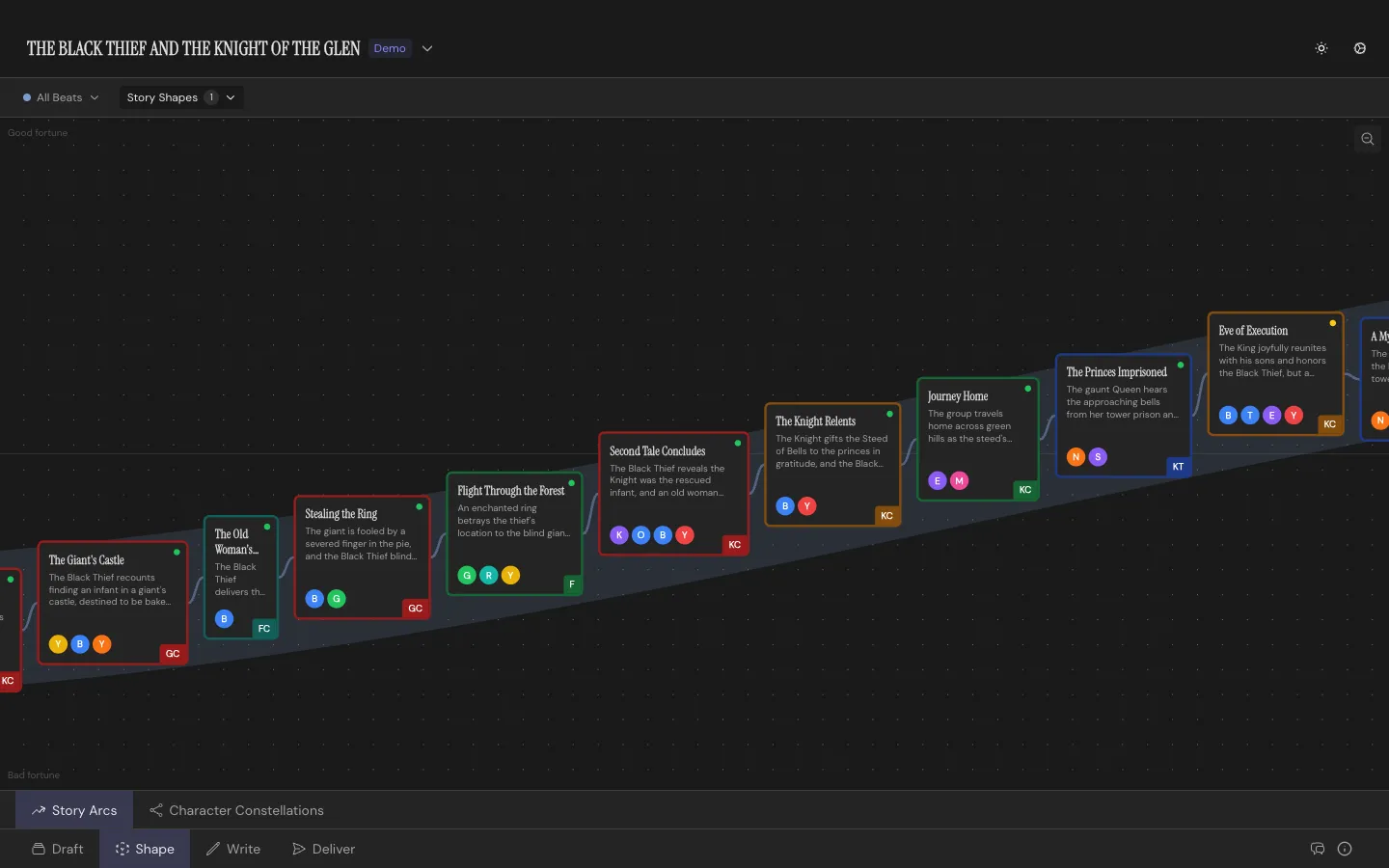
With at least two Beats charted, overlay a Story Shape to compare your curve to the classics. You can seed a new Arc from specific Characters’ Beats rather than from all of them, useful when you’re isolating one relationship’s journey. Reset Charges clears every point on the Arc without deleting it.
Constellation
Section titled “Constellation”Switch sections and your cast becomes a map: Characters as nodes, relationships as edges between them. Add a relationship between two Characters and label it in both directions; how A feels about B isn’t necessarily how B feels about A, so Throughline keeps those separate.
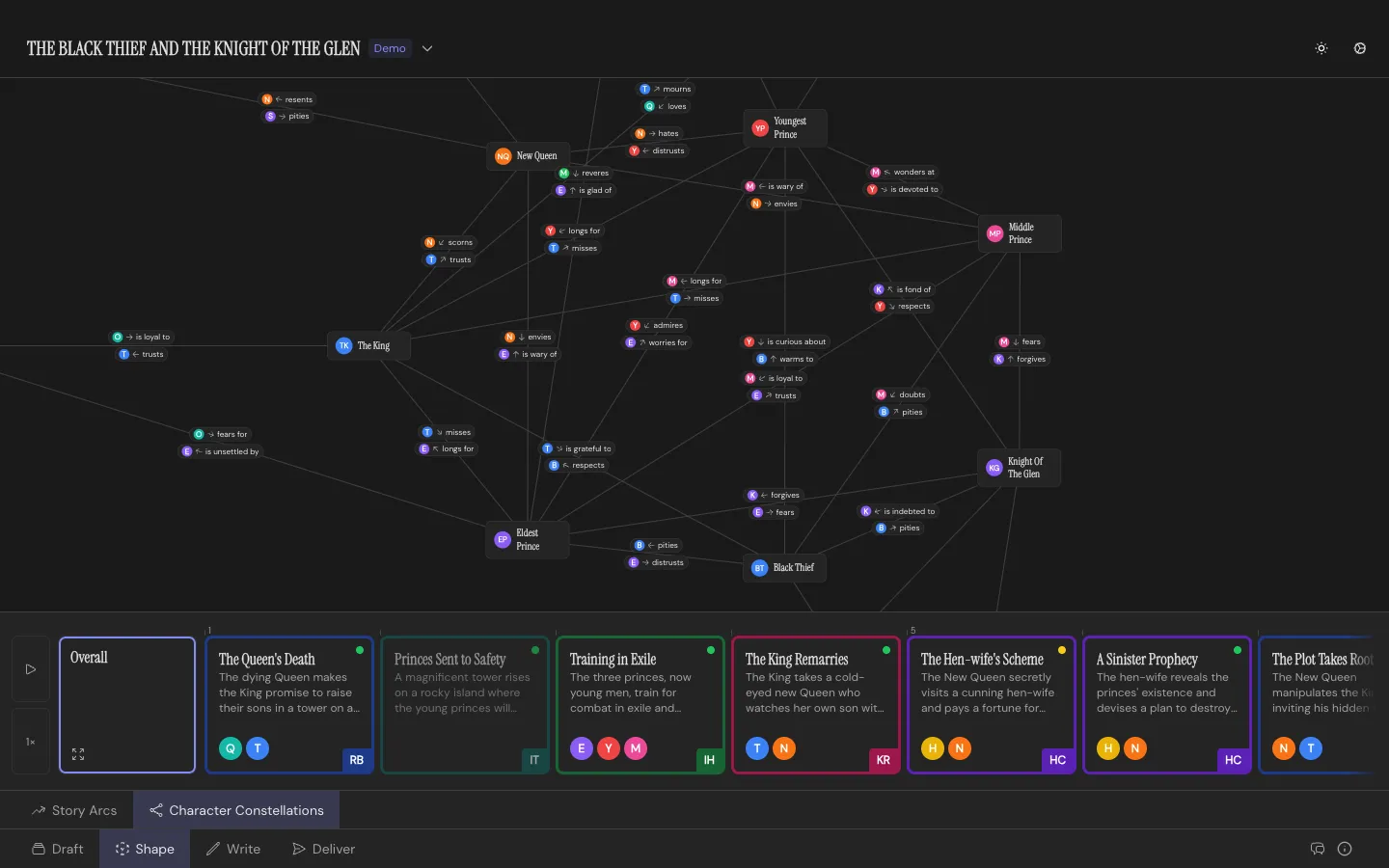
A relationship can start at a specific Beat and dissolve at a later one. The canvas has a play control: scrub through your story Beat by Beat and watch the map update as relationships form, shift, and break. Drag Characters around the canvas to reposition them, with per-Beat overrides if someone’s position should change as the story moves.
The Constellation needs at least two Characters before it shows you anything.