Press ? anywhere in Throughline to pull this same list up on screen. Cmd on macOS, Ctrl on Windows.
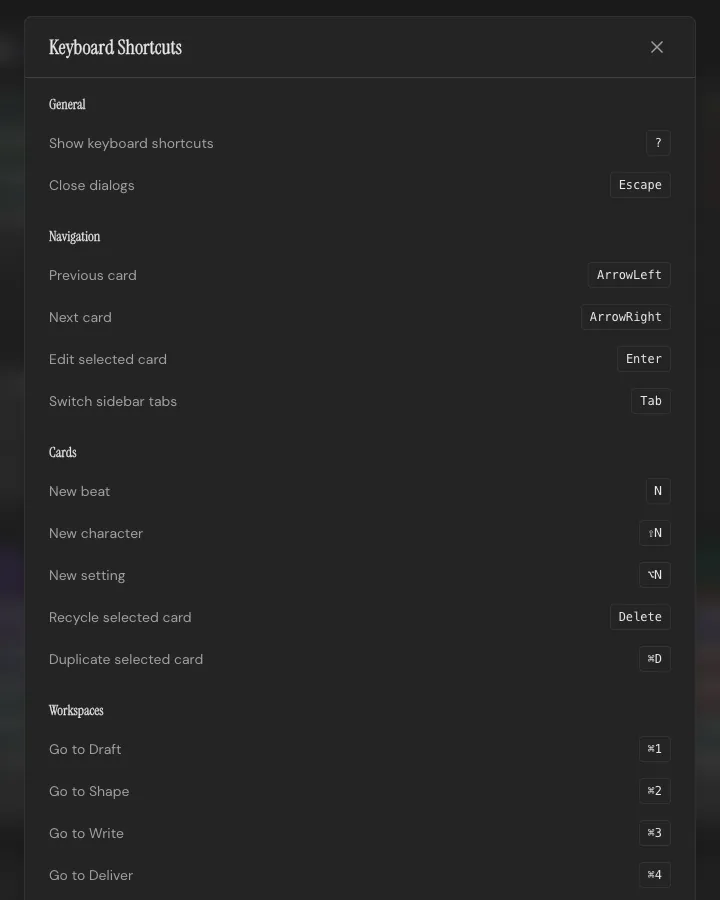
| Shortcut |
Action |
? |
Show keyboard shortcuts |
Esc |
Close dialogs |
| Shortcut |
Action |
← |
Previous Card |
→ |
Next Card |
Enter |
Edit selected Card |
Tab |
Switch sidebar tabs |
| Shortcut |
Action |
N |
New Beat |
Shift+N |
New Character |
Alt+N |
New Setting |
Delete |
Recycle selected Card |
Cmd/Ctrl+D |
Duplicate selected Card |
| Shortcut |
Action |
Cmd/Ctrl+1 |
Go to Draft |
Cmd/Ctrl+2 |
Go to Shape |
Cmd/Ctrl+3 |
Go to Write |
Cmd/Ctrl+4 |
Go to Deliver |
| Shortcut |
Action |
Cmd/Ctrl+N |
New project |
Cmd/Ctrl+O |
Open a project file |
Shift+Cmd/Ctrl+S |
Save a copy |
Cmd/Ctrl+E |
Export project |
Cmd/Ctrl+P |
Project details |
Cmd/Ctrl+Z |
Undo |
Shift+Cmd/Ctrl+Z |
Redo |
Projects save to their file automatically as you write. See Projects & Files.
| Shortcut |
Action |
1 |
Mark Beat as empty |
2 |
Mark Beat as Draft |
3 |
Mark Beat as Done |
Cmd/Ctrl+S |
Save changes |
Esc |
Cancel editing |