Draft
The Draft Workspace is your beat board. The Throughline is a row of Beat Cards; above it sit the Characters and Settings you cast into them.
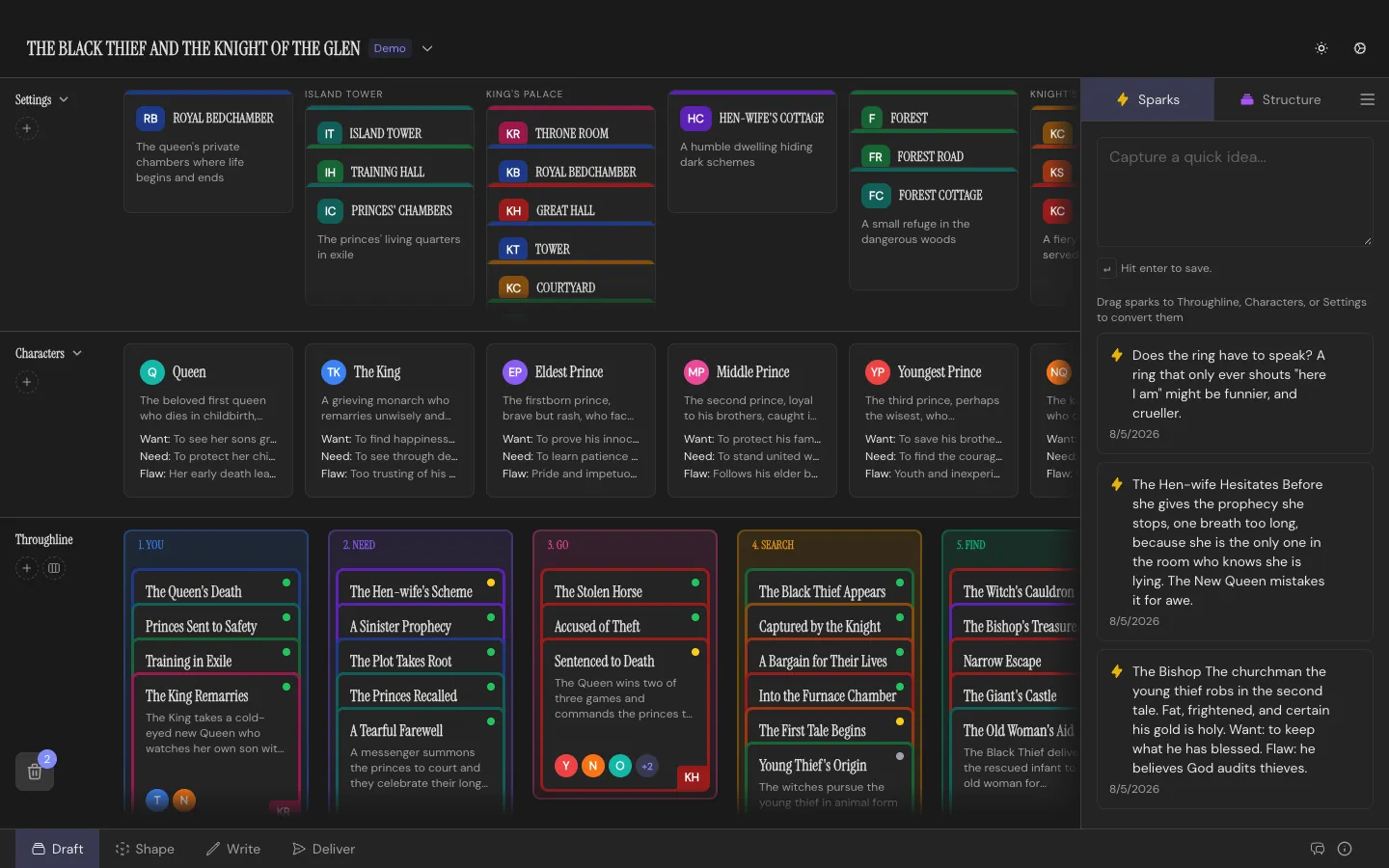
The board
Section titled “The board”Three rows, all drag-and-drop:
- Setting Row: where your story takes place
- Character Row: everyone in it
- Throughline: the spine, your Beats, in order
Drag a Character or Setting down onto a Beat to cast it there. Reorder Beats by dragging; the story reorders with them.
Structuring as you go
Section titled “Structuring as you go”Open the right sidebar’s Structure tab to deal in a template: 15 Beats, Hero’s Journey, Story Circle, Three-Act, or one of your own. Drag a Structure Card onto the Throughline, or Add All to place a whole deck at once. Stack your own Beats underneath a Structure Card as you fulfill it, or under any other Beat if you just want a pile of alternates.
The Sparks tab holds ideas. Drag one onto any row to convert it into a card; see Sparks Inbox for the conversion rules.
Editing a card
Section titled “Editing a card”Click any card to open its editor. The fields differ by type, covered in Beat Cards, Characters, and Settings.
Nothing’s really gone
Section titled “Nothing’s really gone”Drag any card onto the recycling bin to soft-delete it. Recycle a Stack and Throughline asks whether you mean the whole pile or just the card on top. Open the bin any time to see what’s been recycled and restore it exactly where it was.
Shortcuts
Section titled “Shortcuts”N for a new Beat, Shift+N for a Character, Alt+N for a Setting. Each drops the card right where you’re looking, with no dialog in the way. The right sidebar collapses with its toggle button to give the Throughline full width.