Structure Decks
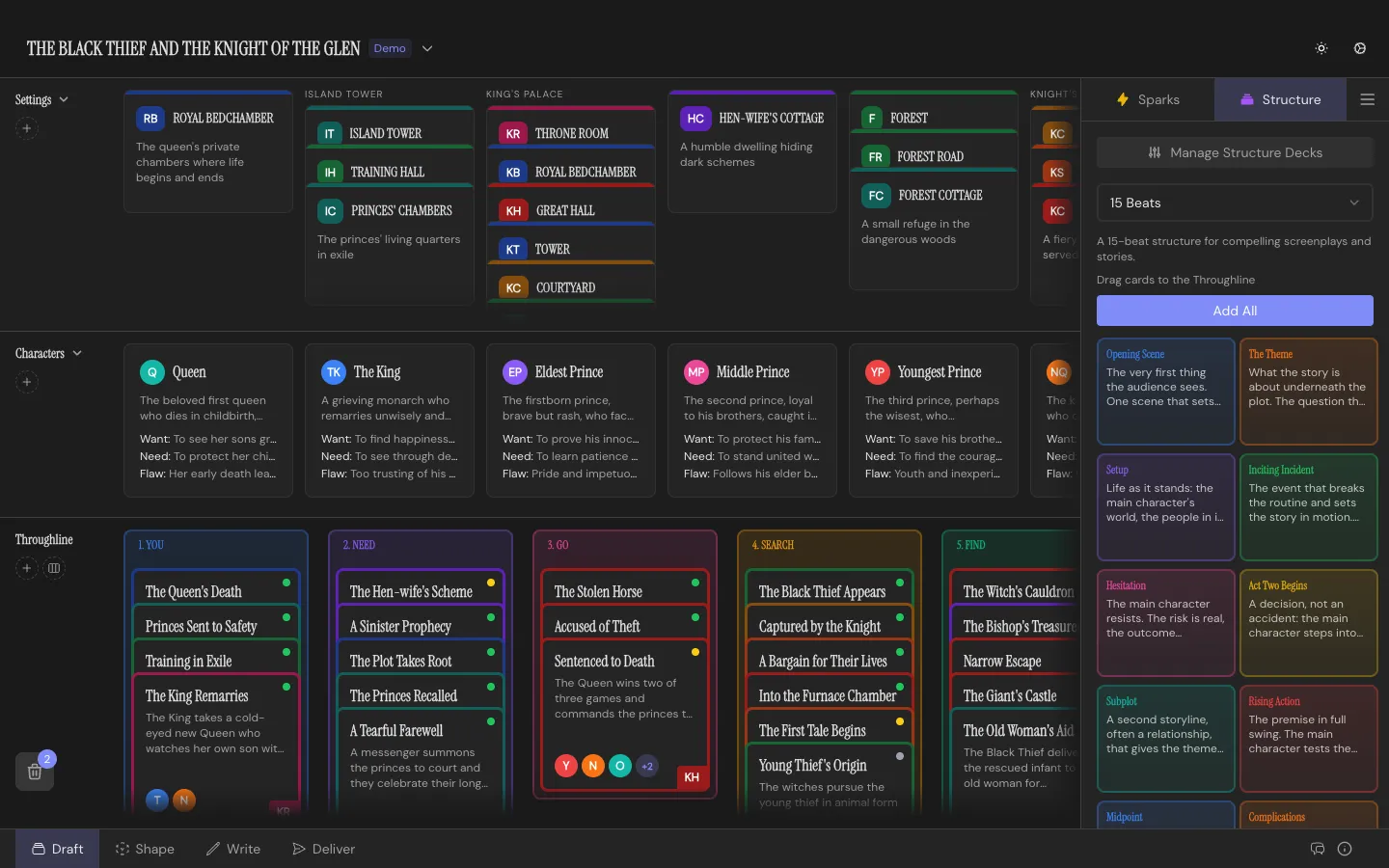
A Structure Deck is a named, ordered set of guidance cards. Drop them onto the Throughline as scaffolding, then stack your own Beats underneath. You don’t need to know story structure theory to use Throughline; that’s what decks are for.
The four built-ins
Section titled “The four built-ins”- 15 Beats: 15 cards, for a compelling screenplay or story beat by beat
- Hero’s Journey: 12 cards, Joseph Campbell’s monomyth
- Story Circle: 8 cards, a character moving from comfort through change and back
- Three-Act Structure: 4 cards, the classic beginning, middle, and end
Open the deck panel from the Draft Workspace sidebar, pick one, then drag individual Structure Cards onto the Throughline or hit Add All to deal the whole deck at once.
They’re yours once you place them
Section titled “They’re yours once you place them”A placed Structure Card is a snapshot, not a live reference to the deck it came from. Edit its title, guidance text, or color and it just changes: no separate “override” step, no drift back to a shared template. Stack your own Beats underneath as you write toward fulfilling it.
Editing and building decks
Section titled “Editing and building decks”Open the Structure Deck Manager from the Draft Workspace sidebar to see everything: your defaults, any custom decks, and the card count for each.
Edit a default deck and Throughline saves your changes as a personal override, badged “Modified”, without touching the original. Restore it to stock at any time. + New gets you a blank deck to name and fill with your own cards, reordered however you like.
Decks export to a JSON file and import the same way, so a template you like can travel between projects, or come from someone else entirely.