Interface Overview
Every project opens into the same shell, whichever Workspace you’re in.
The Workspace switcher
Section titled “The Workspace switcher”The tab bar along the bottom holds the four Workspaces: Draft, Shape, Write, and Deliver. Switch instantly, or use Cmd/Ctrl+1 through 4. Nothing exports or re-imports between them: it’s one project, four views of it. Each gets its own page under Workspaces.
The top bar
Section titled “The top bar”The top bar sits above whichever Workspace you’re in:
- Project Details (
Cmd/Ctrl+P): title, logline, and author info, the material that ends up on a title page - Export (
Cmd/Ctrl+E): takes you straight to the Deliver Workspace - Undo and Redo (
Cmd/Ctrl+Z,Shift+Cmd/Ctrl+Z): the history stack covers the board, the Shape Workspace, and writing
Click the project title to open the project menu, which includes Save a Copy…, Show in Finder (on Windows, Show in Explorer), and Restore from Autosave. Your project saves to its file on its own, so a status shows up beside the title only when something needs your attention. See Projects & Files.
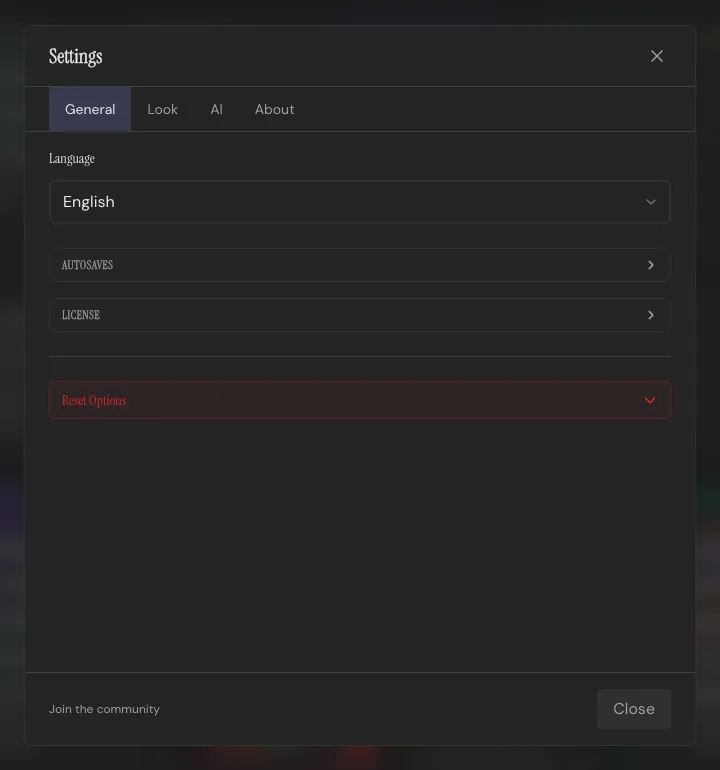
The gear icon opens Settings, with tabs for General (language, autosaves, license and reset options), Look (theme and fonts), AI, and About (version, licenses, privacy and legal notes). A light/dark toggle sits in the top bar on its own, separate from the theme picker in Settings, since it’s the one thing you’ll want to flip without digging through a menu.
See Themes for the customization side of it.
Getting help
Section titled “Getting help”Press ? anywhere in the app for the full keyboard shortcuts list. See Keyboard Shortcuts for the complete table.