MCP with an API Key
You don’t need a Claude or ChatGPT subscription to work with AI in Throughline. A command-line AI app on your computer can connect to Throughline over MCP and run on your own API key, so you pay the AI provider per use instead.
This works well as a backup, too. If your usual AI app is down or you’ve hit its usage limit, a second app on an API key can pick up the same project.
Throughline itself never asks for or stores an API key. The key belongs to the AI app. Throughline only provides the connection.
Before you start
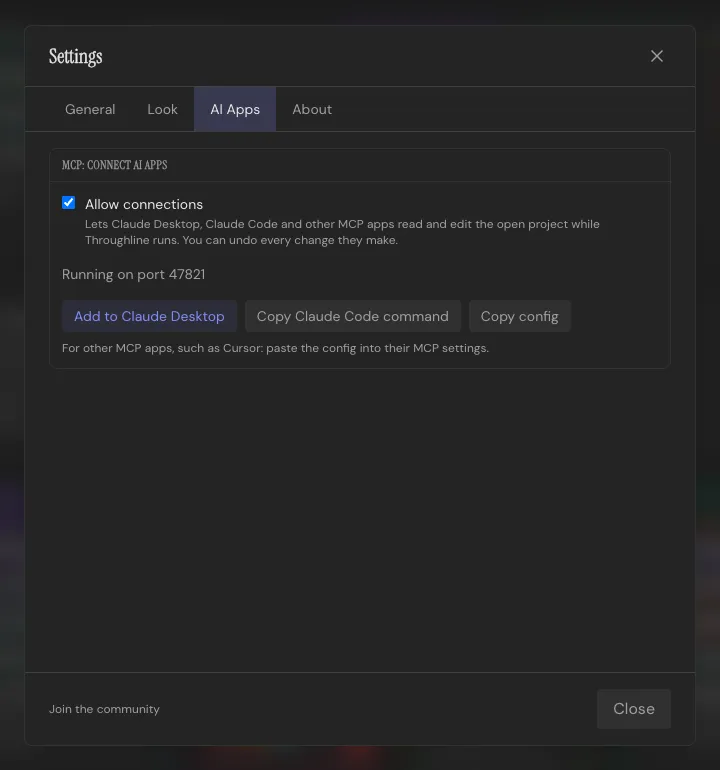
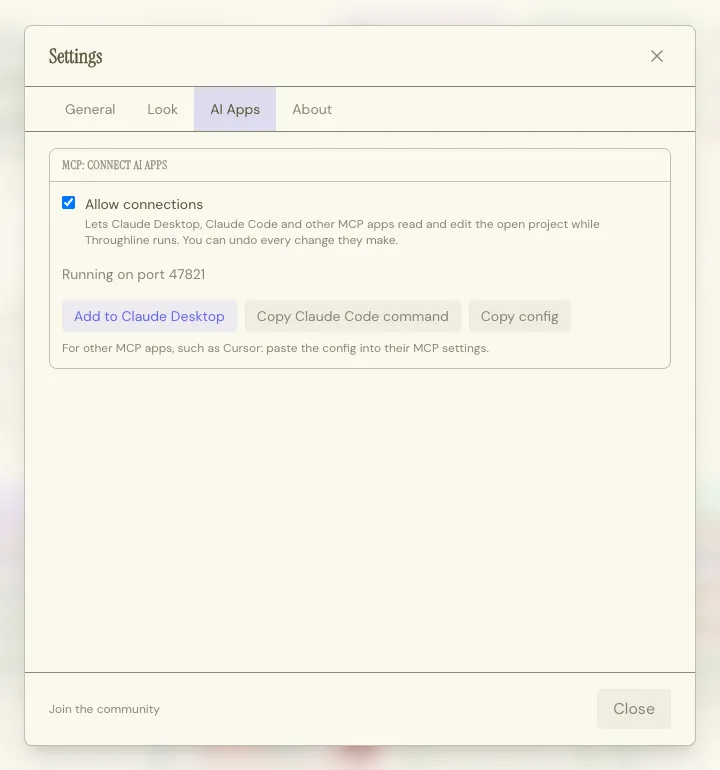
Section titled “Before you start”- Turn on Settings → AI Apps → MCP: Connect AI Apps → Allow connections in Throughline.
- Keep Throughline running with your project open. The AI app talks to the open app, not to your files.
- Run the AI app on the same computer as Throughline. The connection is local only.
- On a Mac, open Throughline from your Applications folder.
Gemini: Antigravity CLI
Section titled “Gemini: Antigravity CLI”Google’s command-line AI app is Antigravity CLI (agy). It replaced Gemini CLI for most users in 2026. With a Gemini API key, it runs on Google’s Gemini API, including the fast, inexpensive Flash models.
1. Install it and add your key
Section titled “1. Install it and add your key”-
Install Antigravity CLI by following Google’s install guide.
-
Create a Gemini API key in Google AI Studio.
-
Tell Antigravity CLI to use the Gemini API. Open (or create)
~/.gemini/antigravity-cli/settings.jsonand add:{"modelProvider": "gemini"} -
Save your key as the environment variable
GEMINI_API_KEY.-
macOS: add this line to
~/.zshrc, then open a new Terminal window:Terminal window export GEMINI_API_KEY="your-api-key" -
Windows: run this in PowerShell, then open a new PowerShell window:
Terminal window setx GEMINI_API_KEY "your-api-key"
-
Both steps are needed. The key alone does nothing until modelProvider is set, and with modelProvider set, Antigravity CLI won’t start without the key.
2. Connect it to Throughline
Section titled “2. Connect it to Throughline”- In Throughline, under Settings → AI Apps, click Copy config.
- Open
~/.gemini/config/mcp_config.json(on Windows,%USERPROFILE%\.gemini\config\mcp_config.json).- If the file doesn’t exist yet, create it and paste the whole config.
- If it already exists, paste the
Throughlineentry into itsmcpServers.
- Start Antigravity CLI with
agy, then type/mcp. Throughline should show as active.
Now ask it something like “Read my project in Throughline and list the Beats where the B-story doesn’t move.”
3. Permissions
Section titled “3. Permissions”Antigravity CLI asks before each Throughline tool it uses. To allow all of them at once, add a permissions rule to the same settings.json from step 1:
{ "modelProvider": "gemini", "permissions": { "allow": ["mcp(Throughline/*)"] }}Every change is still yours to undo in Throughline.
Still on Gemini CLI?
Section titled “Still on Gemini CLI?”If you already use Gemini CLI with a GEMINI_API_KEY, it connects the same way. Click Copy config in Throughline and paste the Throughline entry into mcpServers in ~/.gemini/settings.json. Type /mcp in Gemini CLI to check the connection.
Claude: Claude Code
Section titled “Claude: Claude Code”Claude Code can run on an Anthropic API key instead of a Claude subscription. Create a key in the Claude Console, then either sign in to Claude Code with your Console account or set the key as ANTHROPIC_API_KEY.
Then connect it as usual: click Copy Claude Code command in Throughline and run it in your terminal. See Connect Claude Code, Cursor and other apps.
OpenAI: Codex CLI
Section titled “OpenAI: Codex CLI”Codex CLI can run on an OpenAI API key. Sign in with your key as OpenAI’s Codex docs describe.
Codex adds MCP servers the same way Claude Code does. Click Copy Claude Code command in Throughline, paste it into your terminal, change claude at the start to codex, and run it:
codex mcp add Throughline -- "/Applications/Throughline.app/Contents/MacOS/throughline" --mcpThe path in your copied command is the right one for your computer. Codex keeps its servers in ~/.codex/config.toml.
Other AI apps
Section titled “Other AI apps”Any AI app that speaks MCP and accepts your own API key can connect. Click Copy config in Throughline and add the Throughline entry wherever the app keeps its MCP servers.
To skip the provider altogether, run a model on your own computer. See MCP with a Local Model.
Browser-based apps such as Google AI Studio, claude.ai or ChatGPT on the web can’t reach a desktop app, so they can’t connect.
Cost and privacy
Section titled “Cost and privacy”- You pay per use. With an API key, the provider bills you for what the AI app reads and writes. Reading a whole feature-length project uses many more tokens than a short prompt. Check your provider’s prices and set a spending limit in its console.
- Your project goes to that provider. What the AI app reads from Throughline goes to the provider behind your key, under that provider’s API terms. Those terms can differ between free and paid tiers, including whether what you send may be used to improve the provider’s products. Read them before you share unpublished work.
- Keep your key private. Don’t paste it into a project, a script or a shared file.