What do (MORE) and (CONT'D) mean in a screenplay?
Formatting rules for dialogue that runs over a page break.
The short answer
(MORE) and (CONT’D) mark a character’s speech that continues across a page break. (MORE) goes under the dialogue at the bottom of the page, and the character’s name is repeated at the top of the next page with (CONT’D) after it.
(CONT’D), short for “continued”, has a second job too: it can go after a character’s name when they carry on talking after a few lines of action in the same scene.
Dialogue across a page break
When a speech is too long to fit at the bottom of a page, it’s split, and both halves are marked so the reader knows the character hasn’t stopped talking:
                    MARGO
          I told him the key was in the
          drawer. I told him twice.
                    (MORE)

                  (page break)

                    MARGO (CONT'D)
          He never listens.
A few conventions keep the split readable:
- (MORE) sits on its own line where a character cue would go, in capitals and parentheses.
- The character’s name is repeated at the top of the next page, followed by (CONT’D).
- Split between sentences, never in the middle of one.
- If only a line or so of the speech would be left on the first page, move the whole speech to the next page instead.
(CONT’D) after action
The second use is within a single page. A character speaks, a line of action interrupts, and the same character speaks again:
                    MARGO
          Where's the key?

     She yanks the drawer open. Nothing.

                    MARGO (CONT'D)
          Of course.
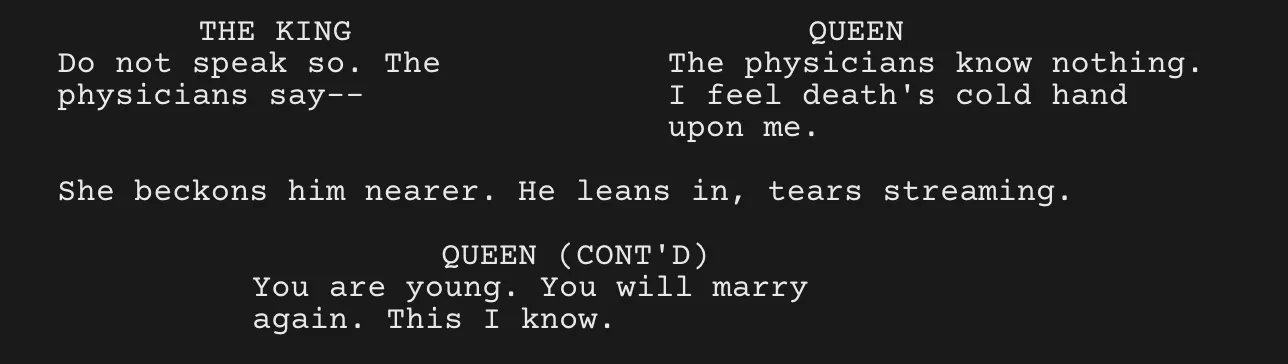
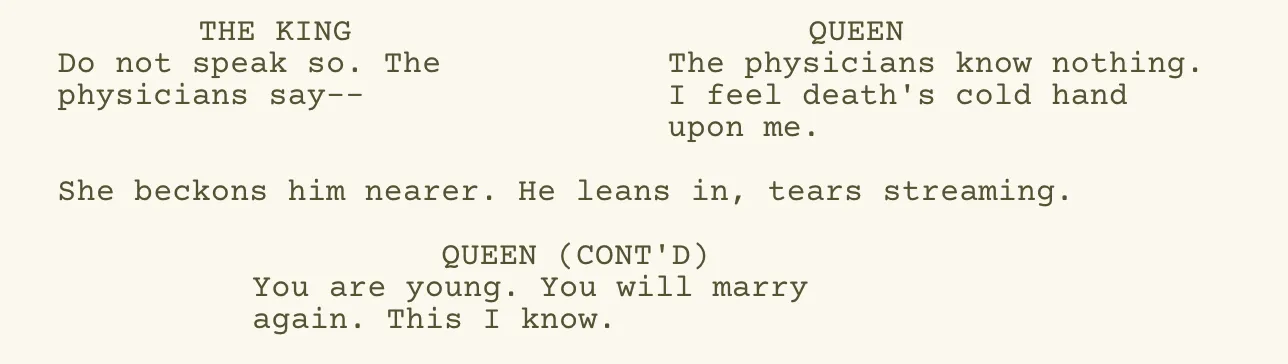
The same thing on a real page: after a line of action, the Queen keeps talking, so her cue reads QUEEN (CONT’D). The two speeches side by side above it are dual dialogue. From the screenplay editor in the Throughline App.
The (CONT’D) tells the reader it’s one continuous moment for Margo rather than a new exchange. This one is more a matter of taste. Many writers use it and some find it clutters the page, and older scripts often used a (continuing) parenthetical under the name instead. John August, who makes the Highland screenwriting app, explained in a 2018 post why Highland 2 left it to the writer: sometimes a character who speaks again after action is starting a new thought rather than continuing the old one, and only the writer knows which. Either way, pick one approach and use it consistently through the whole script.
What about CONTINUED at the top of the page?
You’ll see some scripts with CONTINUED: at the top of a page and (CONTINUED) at the bottom, whenever a scene runs across a page break. Those are scene continueds, a production convention for shooting scripts. Leave them out of a spec script you’re sending to a reader, where they only add clutter.
Should you type them yourself?
Not the page-break ones. Page breaks move every time you add or cut a line, so a hand-typed (MORE) ends up stranded in the middle of a page after your next edit. Screenwriting software adds them for you, usually when it lays out the pages for preview, print or PDF. The after-action (CONT’D) is different, because it’s a choice about how the scene reads, so it’s fine to type it, or to set your software to add it.
Quick checklist
- (MORE) at the bottom of the page, where a character cue would go.
- The character’s name with (CONT’D) at the top of the next page.
- Split between sentences.
- (CONT’D) after action is optional, so be consistent.
- No scene continueds in a spec script.
- Let the software handle the page-break markers.
Where the Throughline App comes in
In the Throughline App’s screenplay editor, (MORE) and (CONT’D) are automatic: a dialogue block that runs across a page break gets them without you touching a thing. The rest of the formatting is live as you type, too. Tab cycles between action, character and dialogue, character names autocomplete from your cast, and (V.O.) and (O.S.) stay attached to the character they belong to. The formatting docs cover all of it.
So here’s the pitch. The screenplay editor is only one of the app’s Workspaces, and the others are where the story gets worked out first: your scenes as cards on a board, the emotional Arc of every plotline as a curve, and your cast’s relationships as a map. When it’s done, Deliver gives you an industry-standard screenplay PDF to send out. You buy the Throughline App once, it runs offline, and it imports the script you already have, so you can open your current draft and check its page breaks today!
Before you send a script out, flip through the PDF and look only at the bottom of each page. A speech that splits mid-sentence, or a lonely (MORE) above a single line of dialogue, is usually fixed by trimming a line of action higher up on the same page.